Delivery codes

To help make your deliveries more secure and to give you additional protection, we will be launching delivery codes in select zones. By validating your orders via a delivery code, handing over orders to customers should be much simpler.

How does it work?

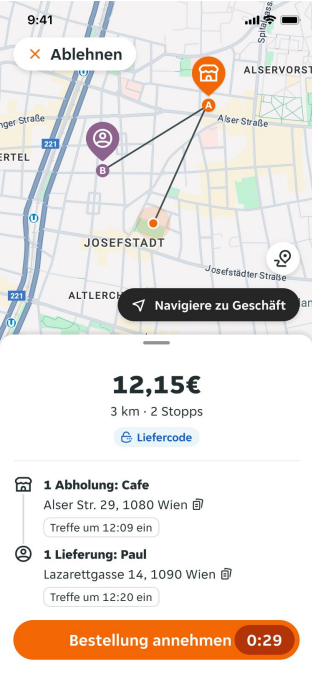
  1. Before you accept an order, you should see the ‘delivery code’ tag, reminding you that you will have to input a code when you deliver the order to the customer.
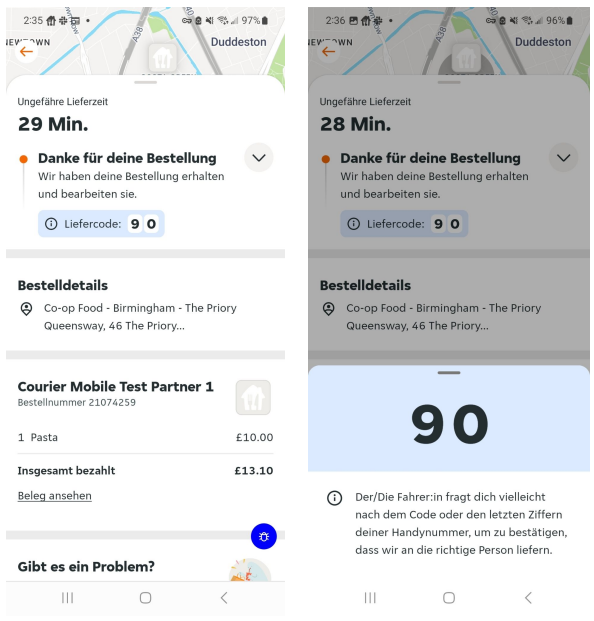
  1. Once the order is placed, the customer will receive a 2 digit code. Below is an example of what the customer will see as you deliver their order.

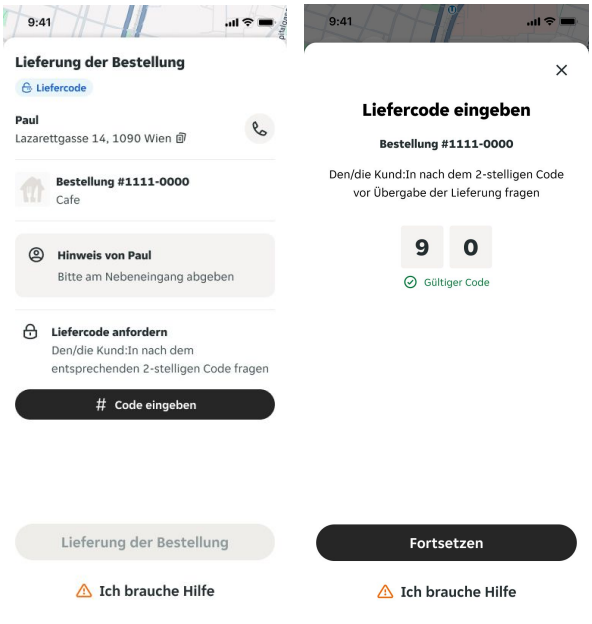
  1. When you arrive to deliver your order, ask the customer for their 2 digit code, then input the delivery code using the button below.

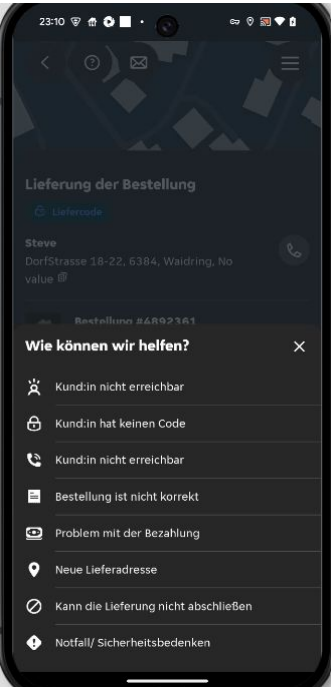
  1. If for any reason, the code does not work, you can enter the last 2 digits of the customer's mobile number to validate the order.

Delivery codes are designed to make your deliveries smoother, but if you have any problems, you can press the ‘I need help’ button for further support.

Share this blog post:
Author avatar

By: Lieferando's Assistance Team

Need support with your account? Lieferando courier assistance is always here if you need us. You can reach us via the Lieferando Courier App chat feature both during your shift for anything urgent or via offline chat for anything non-urgent.